 For writers with big goals and even bigger stories
Where sagas are written.
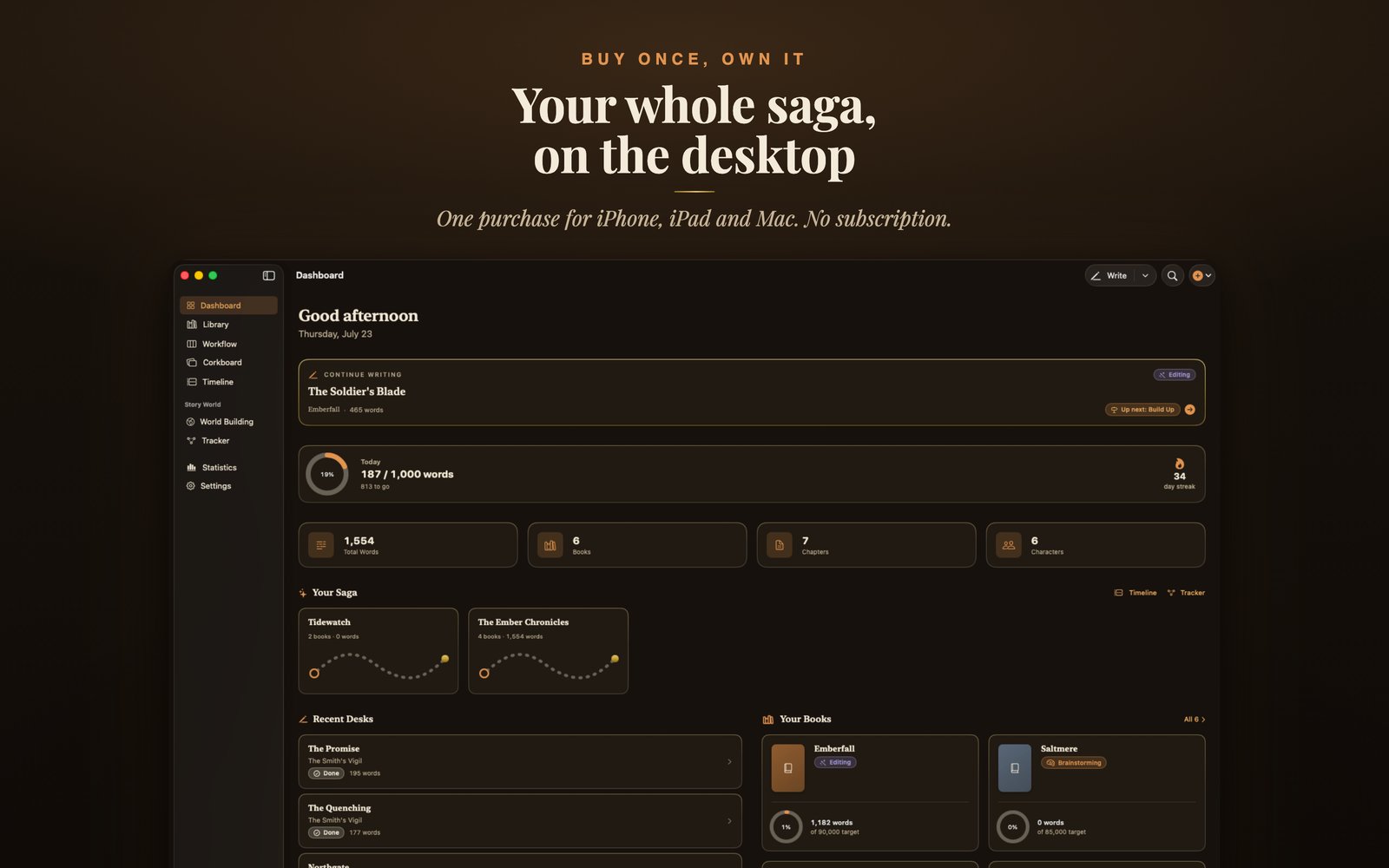
Storybook: Master Novelist is a native writing studio for iPhone, iPad, and Mac. Plan the saga, build the world, and write every book, all in one warm, focused place. Yours for one price, once. No subscription, and no AI touching your words.
Everything is connected
Series, books, chapters, scenes, characters, and places form one living graph. Type a character's name in your prose and it becomes a quiet amber link that opens their card. Create anything anywhere and it wires itself into context.
The lantern guttered as Elara Vance pressed her back to the cold stone of the Ashen Keep. Somewhere above, her sister's voice still echoed. A promise, or a warning, she could no longer tell.
Elara Vance
Protagonist · Book 1
- Motivation
- Find her sister
- Arc
- Reluctant → resolute
A calm writing room
A serif prose editor with focus mode, typewriter scrolling, writing sprints, and read aloud. The chrome disappears; the words remain.
A living story bible
Characters and world elements with rich profiles, relationships, and per book roles. A codex you can browse as list, gallery, or board.
Built for series
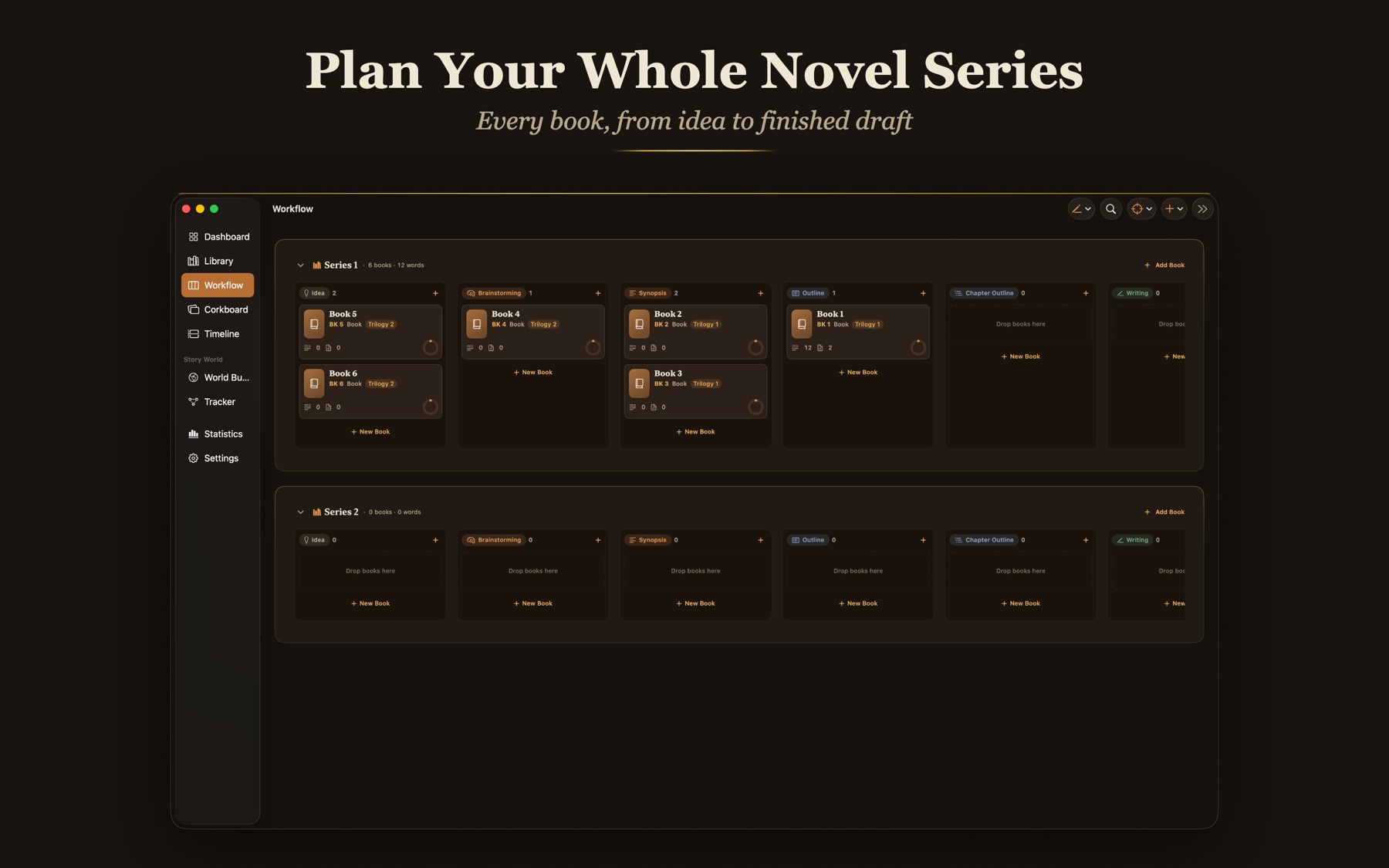
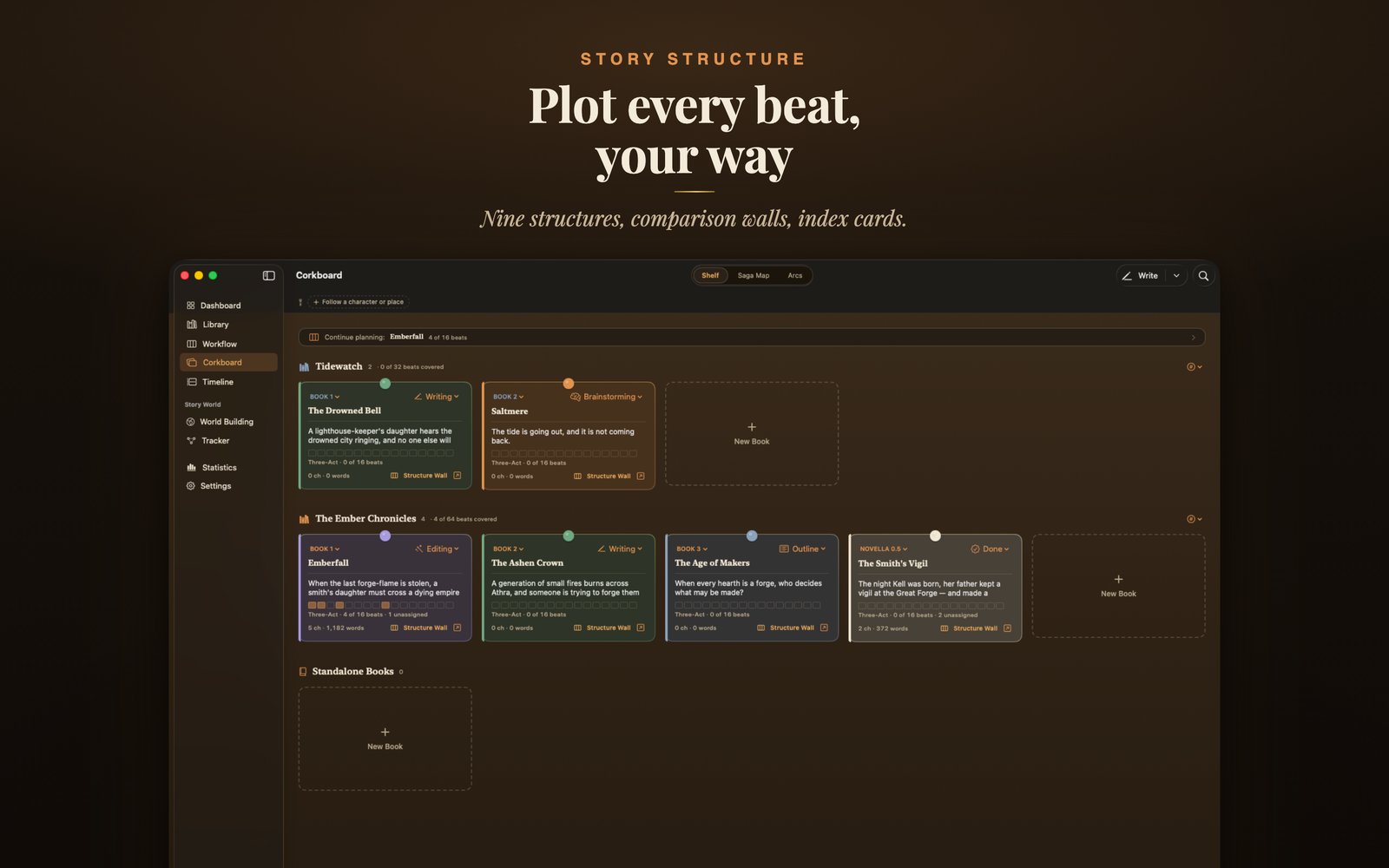
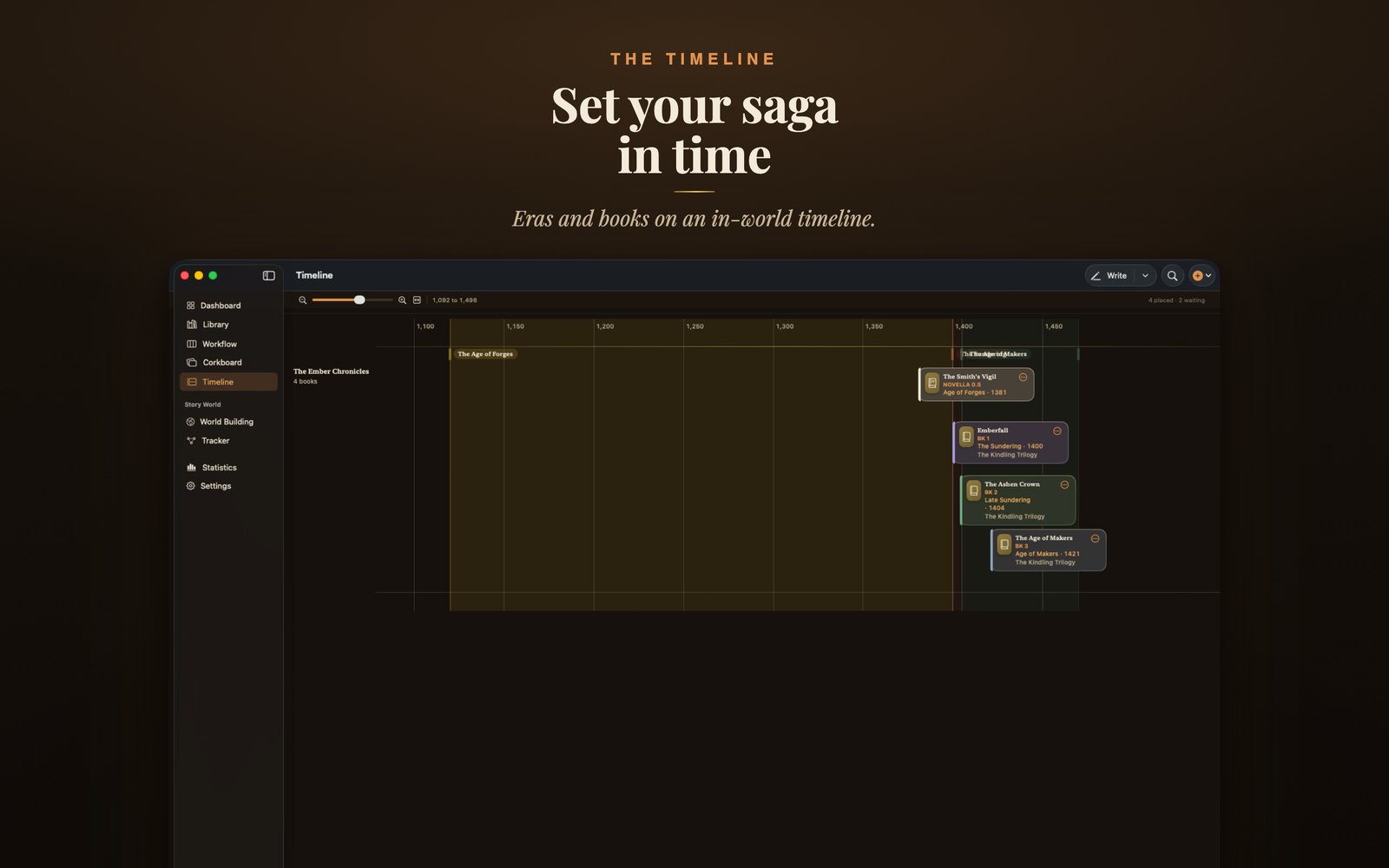
Series, arcs, and books, together. A kanban workflow board, corkboards of index cards, and an in world timeline with the eras your saga actually spans.
Never lose a word
Automatic snapshots, rotating durable backups, a full fidelity archive with replace and restore, live iCloud sync status, and a reversible Delete All.
Craft, quietly
Nine story structures, from Three Act to Kishotenketsu, swappable per book without losing a note. 6 beat chapter outlines when you want them, nothing when you don't.
Your manuscript, welcome
Open a book from another app with Open With or drag and drop. RTF and Word imports keep their formatting, and plain text opens in any common encoding.
A desk that keeps its own counsel
Write a chapter piece by piece with the scene strip, watch your word-count goal fill a quiet ring, and reach for a snapshot in History whenever a risky idea calls.
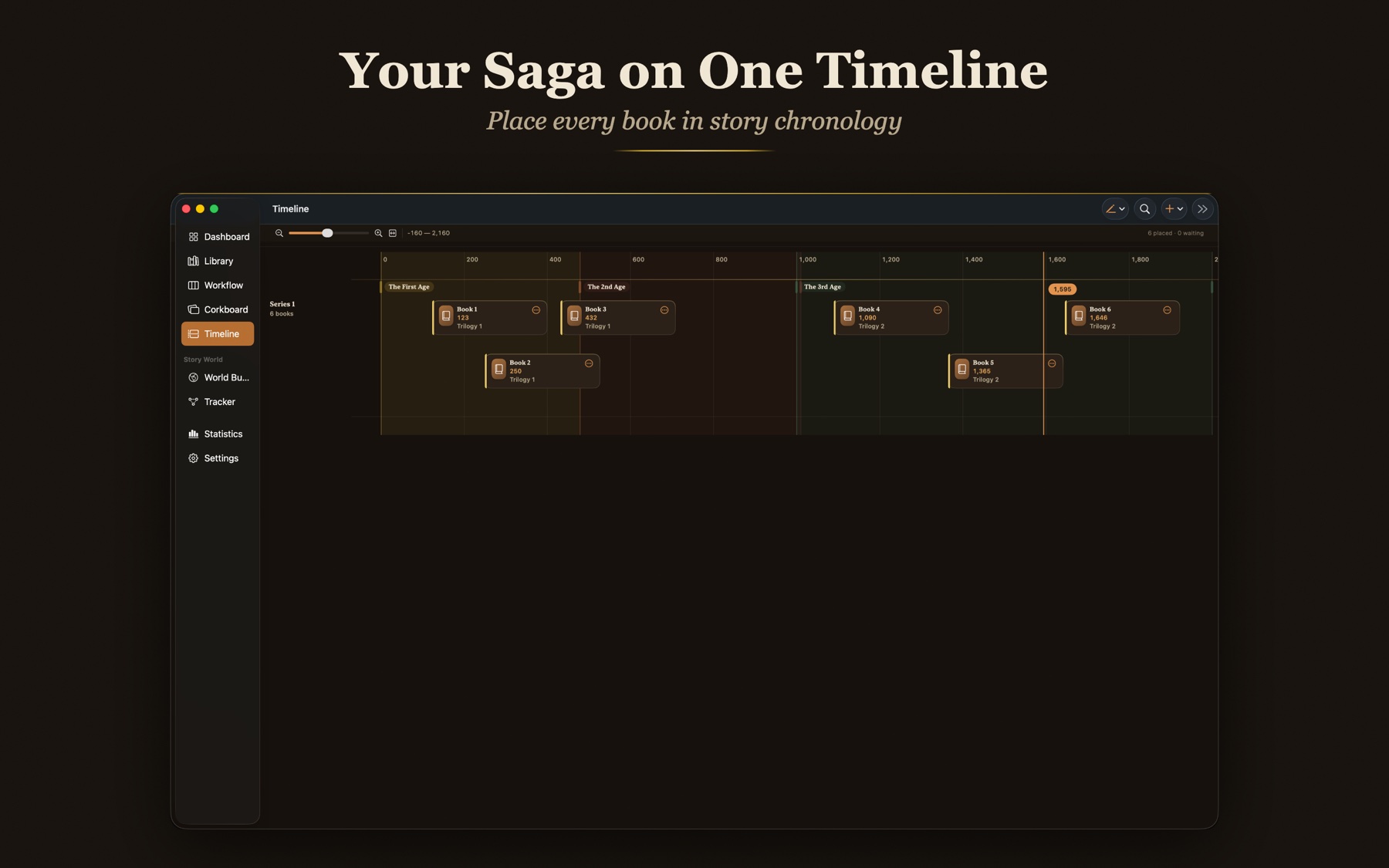
Your saga, laid out in ages
Set your own eras and place books on story chronology. Turn on numbering by timeline and the shelf renumbers to match the order things actually happen in your world.
One name, changed once
Change a character's name once and every mention in your prose follows, formatting intact, snapshotted first. No find and replace roulette, no missed corners of the manuscript.
…until Seraphine turned, the lantern trembling in her hand.
Seraphine had never trusted the old road.
Formatting intact · Snapshot saved before change
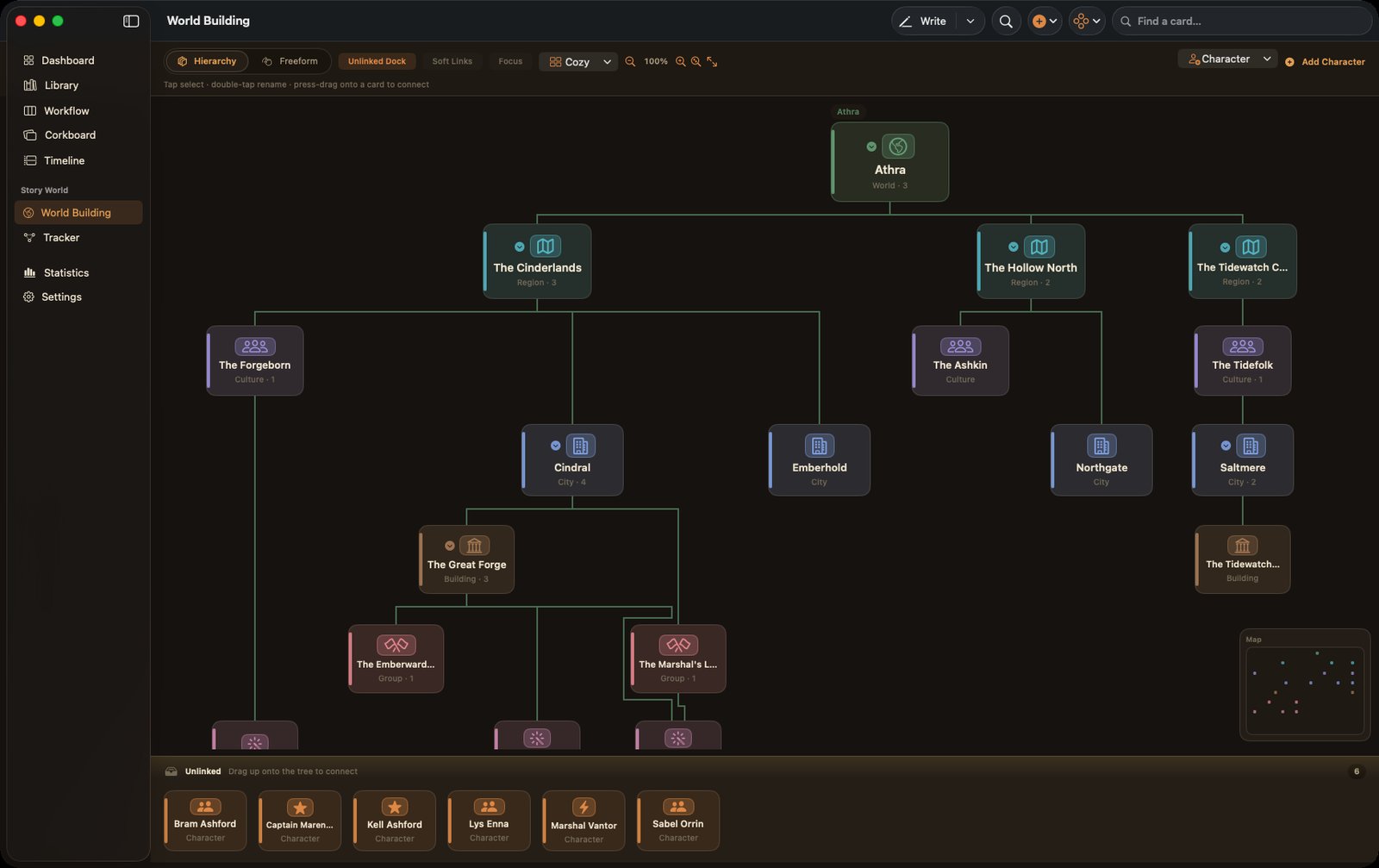
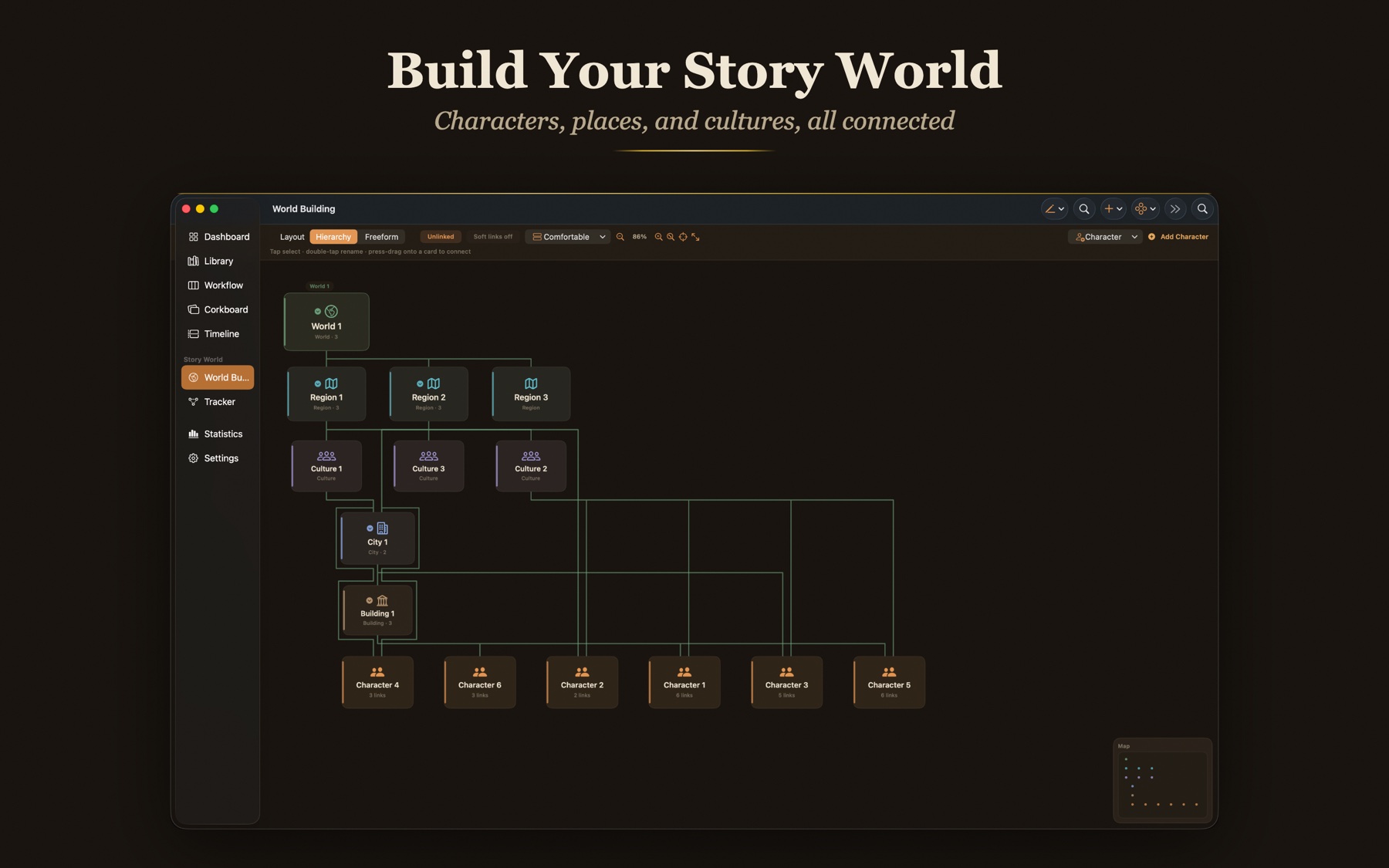
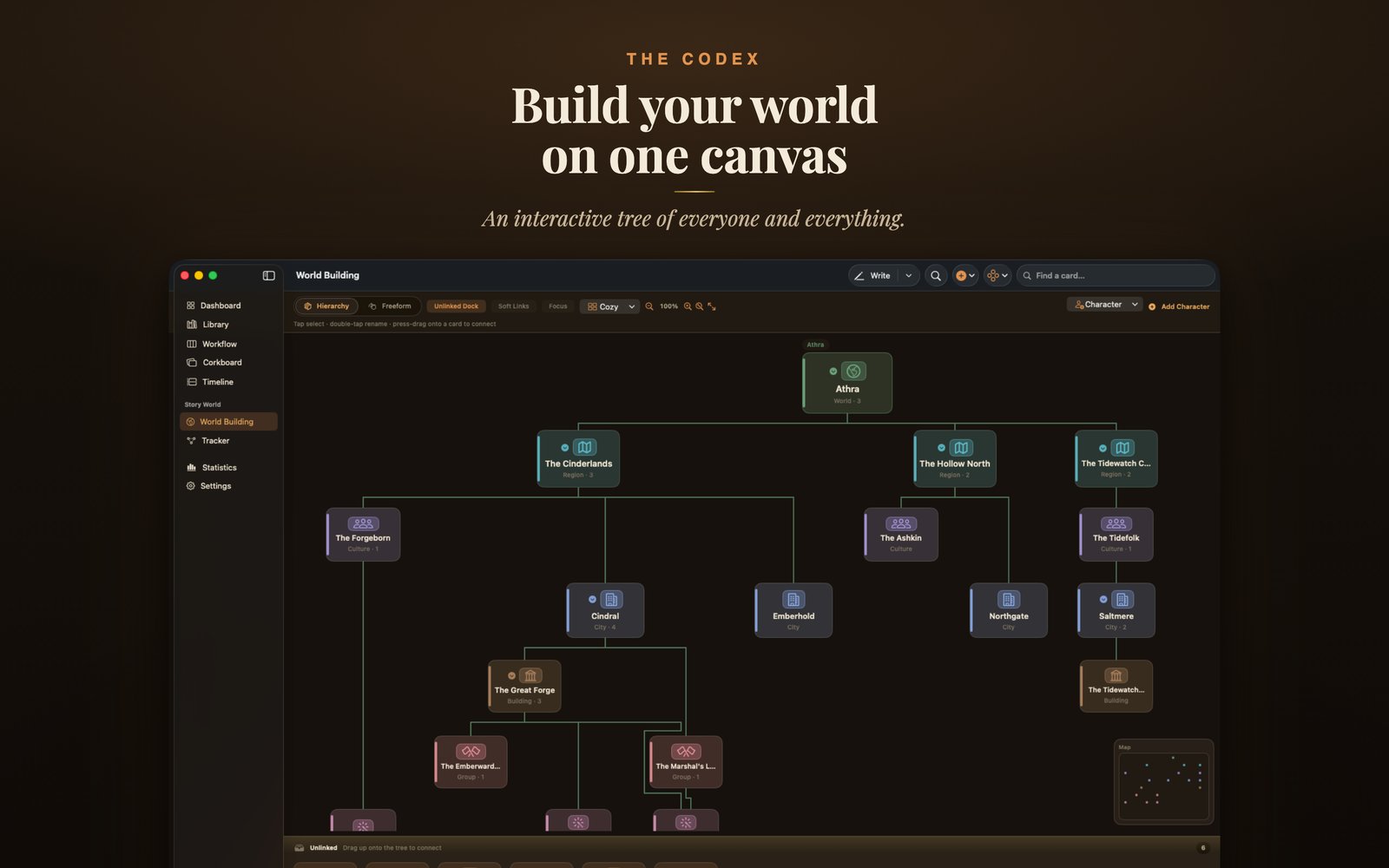
Every thread of your world, in one canvas
Every character, place, culture, group, and item on one connected canvas, laid out as a clean spanning tree. A Focus toggle lights up everything a card connects to, and a single tap moves focus to any card. Relationships run both ways, so a mutual bond is a real link and not a one way arrow. Character cards and world cards share one unified list of connections.
- Focus toggle
- Mutual, two way relationships
- One unified connections list
What matters, book by book
Every world element carries a prominence per book: Central, Featured, Background, or Mentioned. Characters carry a role per book too. The Tracker shows every book an entity appears in, with its role, on one screen. A sword can be the point of Book 2 and a memory by Book 5.
- Central, Featured, Background, Mentioned
- One screen Tracker
Elara Vance
Protagonist · Book 1
- Motivation
- Find her sister
- Arc
- Reluctant → resolute
Plot your way, without losing a note
Choose Three Act, Save the Cat, The Hero's Journey, The Story Circle, Seven Point, Freytag's Pyramid, Kishotenketsu, a fully Custom sheet, or no structure at all. Swap per book and every template keeps its own notes, so changing your mind costs nothing.
- Nine templates
- Swap per book
- Notes never lost
A door for a manuscript you already started
Open a manuscript from another app with Open With or drag and drop. RTF and Word imports keep their formatting: bold, italics, headings, and paragraph styles come across intact. Plain text opens in any common encoding.
Your words, only on your devices
No account, no servers, and the App Privacy label reads Data Not Collected. Your manuscript lives on your devices and syncs only through your own private iCloud. No AI, and nothing you write is ever generated for you.
- No account
- No servers
- No AI
Data Not Collected
No account. No servers watching. iCloud sync runs on your own account, and nothing is generated for you.
Your whole shelf, pinned to the wall
A wall of every book as an editable index card. On a book, a chapter corkboard pins chapter cards to the beats of the story structure you chose.
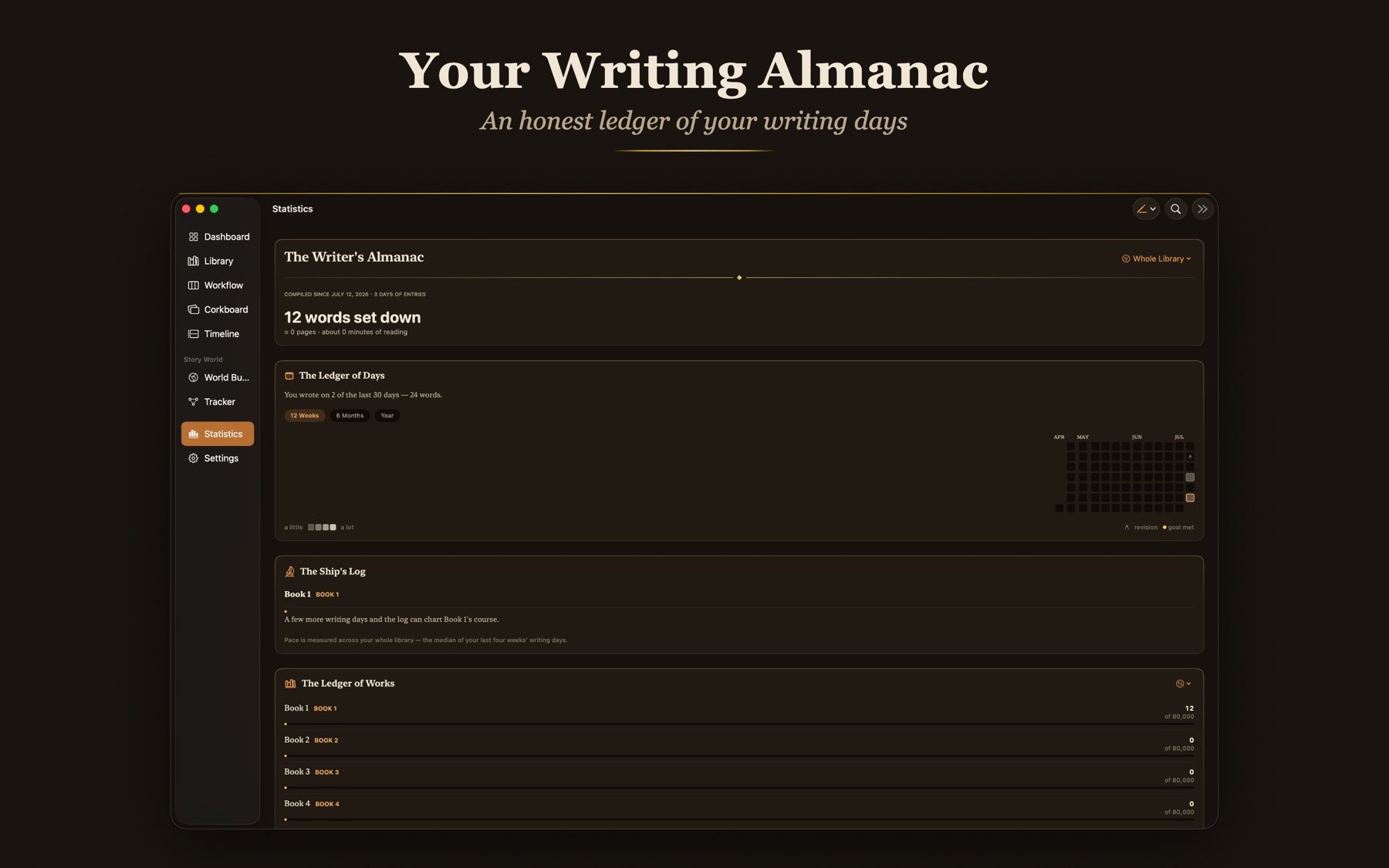
An honest ledger of your writing days
A year deep Ledger of Days, honest pace forecasts in the Ship's Log, a ranked Ledger of Works, and a cabinet of records. Revision days count as writing, and a broken streak is never shamed.
See the studio
Real screens from the Mac, iPad, and iPhone builds.
The full studio. Sidebar, canvas and inspector in one window.
Never lose a word
Four quiet lines of defense stand between your manuscript and a bad afternoon.
Automatic snapshots
Chapters keep versions you can return to.
Rotating durable backups
Fresh backups roll in on their own.
Full fidelity archive
Export and re import with Replace or Restore.
Blocking recovery
A library that will not open never hides its state.
Live iCloud sync status
See what's syncing and what's already safe.
Reversible Delete All
The strongest button in the app is undoable, on purpose.
How Storybook sits beside the tools you already know
Both are good tools. Neither wires the bible to the draft.
Scrivener
A one time purchase at $59.99 per desktop operating system, with iOS a separate $23.99. Mac plus the $37.95 Windows cross-grade plus iOS comes to $121.93. Sync to the phone runs through Dropbox, set up by hand. A binder can hold a whole series, but the notes are not wired to the draft, and there is no in-world timeline.
Ulysses
$49.99 a year, every year. Stop paying and your library switches to read only, you can read and export but not write. It is a lovely place to write a blog post. It was never built to hold a cast, a world, or a timeline across a series.
Storybook
One purchase. iPhone, iPad, and Mac, with no Windows version. iCloud sync that just works, no setup. A story bible, a World Web, and a timeline, wired to the draft from page one. The price is below.
See the price$49.99, once. That's the whole page.
No subscription, no tiers, no upsells inside the app. One purchase covers iPhone, iPad, and Mac, and there is no Windows version. Scrivener is $59.99 per desktop operating system with iOS at $23.99, so Mac plus the $37.95 Windows cross-grade plus iOS is $121.93. Ulysses is $49.99 a year, every year, and goes read only the moment you stop paying. Storybook is bought once and it is yours.
Bought once
Pay a single price and own it. No monthly bill, ever.
No AI, no servers watching
Nothing generates, autocompletes, or trains on your prose.
All your devices
One purchase spans iPhone, iPad, and Mac, with automatic iCloud sync.
News from the writing room.
Occasional notes on new features, craft essays, and things worth your desk. No spam, unsubscribe any time.