Story bible software for series novelists
Storybook: Master Novelist keeps your cast, your world, and your chronology inside the same app as the prose, on iPhone, iPad, and Mac.
Most series bibles start as a document or a spreadsheet, and most of them drift. A character's eyes change color in book three. A city gets renamed in the prose but keeps its old name in the notes. A brother becomes a cousin somewhere between chapters. None of it is carelessness. It is what happens when the record of your world lives in one file and the writing lives in another, and nobody notices until a reader does.
The fix is not a stricter spreadsheet. It is keeping the bible where the sentences are.
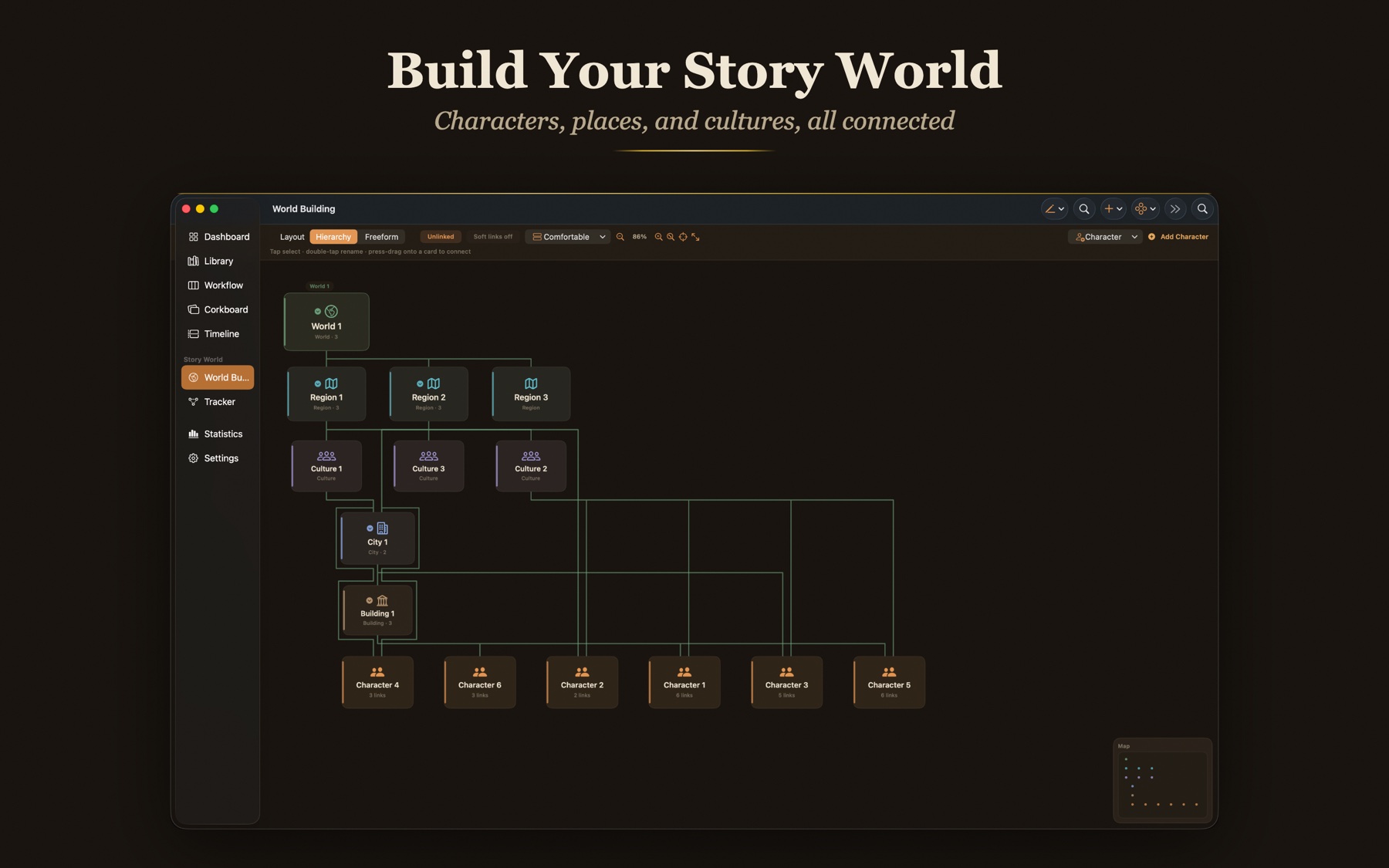
The World Web, your story bible as a living map
Every character, place, culture, group, and item on one connected canvas, laid out as a clean spanning tree. A Focus toggle lights up everything a card connects to, and one tap moves focus to any card.
Character profiles
Rich profiles with portraits, galleries, aliases, and relationships. A color code that teaches itself: characters amber, places evergreen, cultures slate, items plum.
World elements
Worlds, regions, cities, buildings, cultures, groups, and items.
Two way relationships
Bonds run both ways. A mutual link is a real connection, not a one way arrow. Character cards and world cards share one unified list of connections.
Built for a series, not just a book
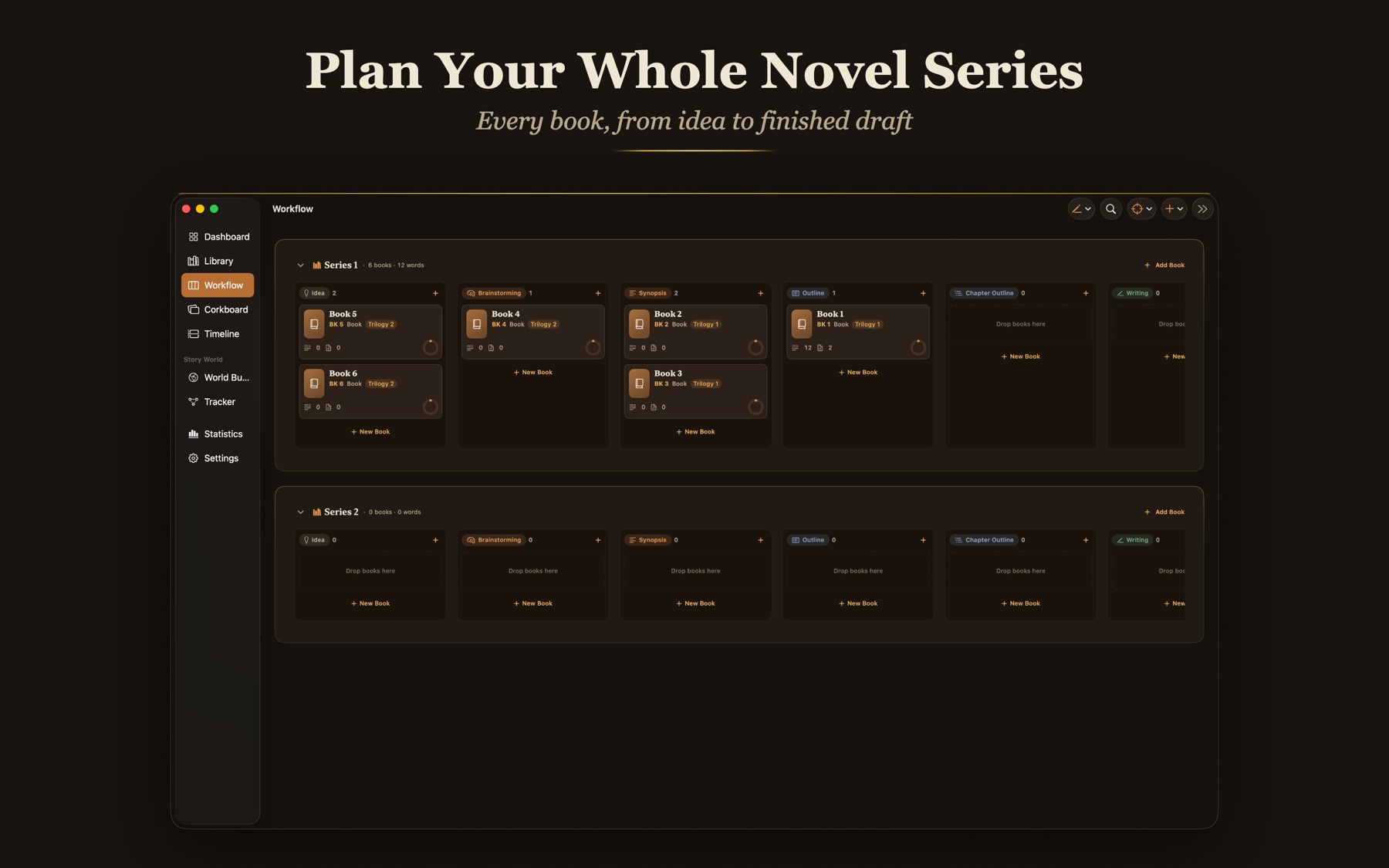
Every character, place, culture, and item carries a role per book: Central, Featured, Background, or Mentioned. Characters also carry story roles, from Protagonist to Antagonist.
The Tracker
Choose a character, place, or thing and see every book it appears in, with its role in each, on one screen. Continuity you can check at a glance.
Rename Everywhere
Change a name once; every mention follows.
Mentions panel
Who appears in this chapter, derived from the words themselves.
A chronology that holds
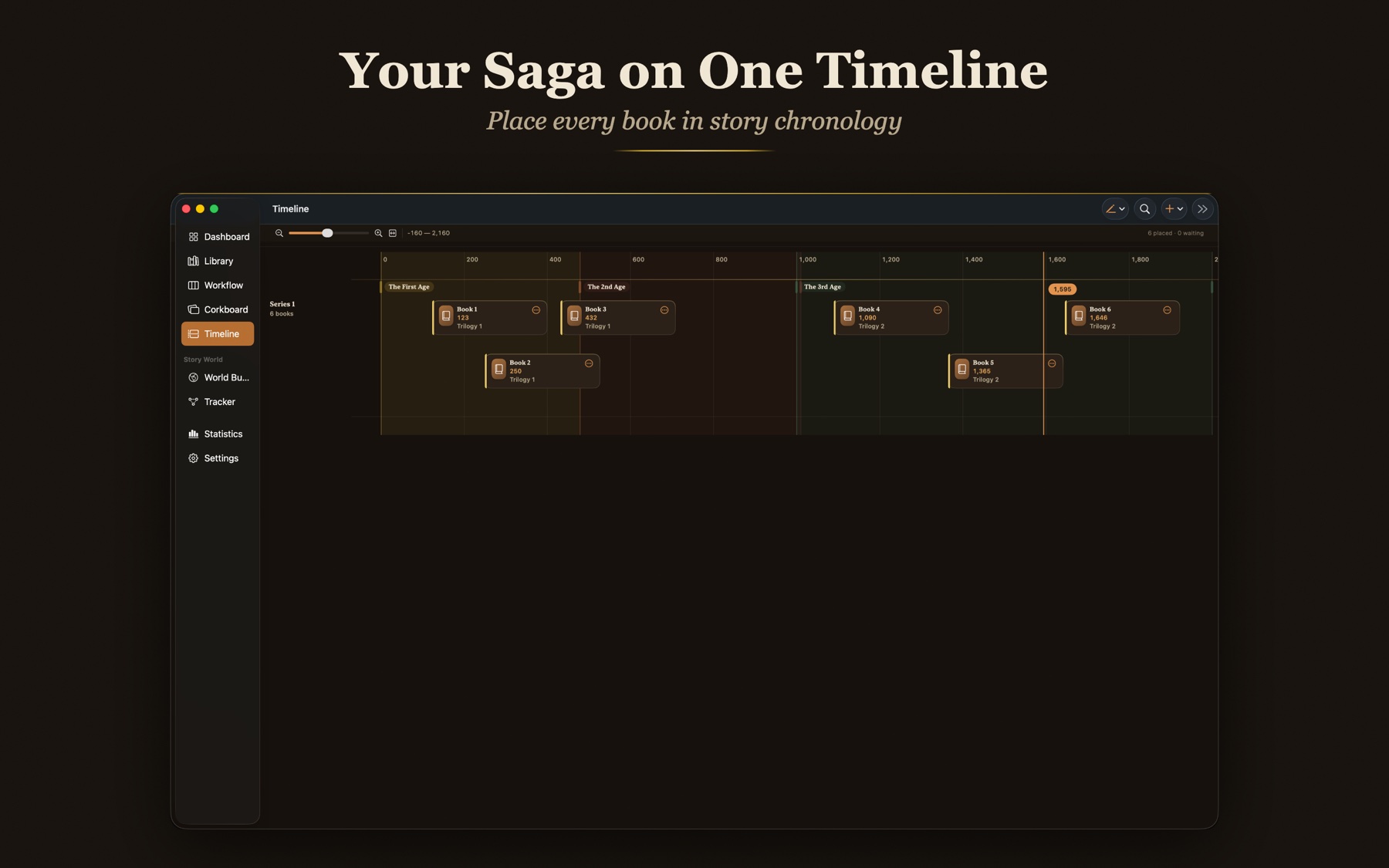
Place your books on an in-world timeline with draggable cards, pinch zoom, and era bands such as First Age and Second Age, so the order of events stays honest across a long saga.
Number by the timeline
Each saga can number its books by the in-world timeline. Place a book on the timeline and the shelf renumbers to story chronology.
Custom spine labels
'Book 2.5', 'Novella', 'Prequel', your own labels always ride along, whatever the order.
More than a folder of notes
A spreadsheet or a notes doc is a fine place to think. It is a poor place to keep truth, because nothing connects it to the manuscript.
It lives with the prose
The bible is a room in the same app, not a second window you remember to open.
Names become live links
Type a character's name in a chapter and it becomes a link to their card. Tap it and the profile opens beside the paragraph.
One change, everywhere
Rename Everywhere updates every mention at once, so the notes and the manuscript cannot disagree.
Type a name, get a link
The bible earns its keep in the paragraph, not in a folder.
Write a character's name in a chapter and Storybook recognizes it. The word becomes a quiet link to that card, so a tap opens the profile beside the paragraph you are working in. No searching, no second window, no wondering whether the eye color you are about to type is the one you used in book two.
Rename Everywhere is the other half. Change a name once and every mention follows it, across chapters, notes, and the codex, with your formatting intact. A character who becomes someone else halfway through a saga does not leave a trail of old names behind her.
Spreadsheets and note apps hold the information. They do not connect it. A few newer tools index your mentions automatically too, usually wrapped in an AI subscription. Storybook does it without either, a craft tool rather than a generator.
Story bibles, answered
Your story bible, on all three devices.
$49.99 once for iPhone, iPad, and Mac, with automatic iCloud sync and no subscription.
See everything inside the codex, or read how it compares to Scrivener and Ulysses.