Everything a novelist needs. Nothing a novelist doesn't.
Where the words happen
Tools out by default
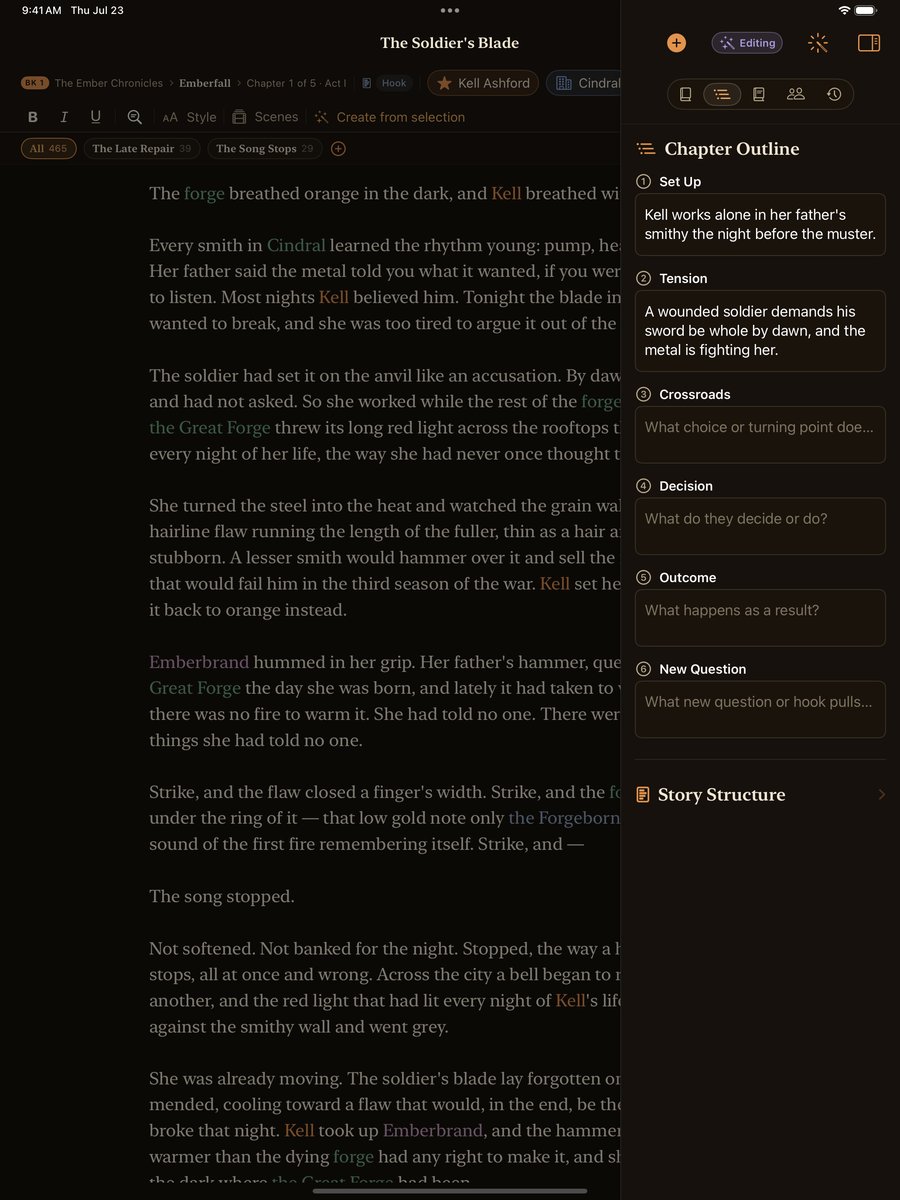
On iPad and Mac the desk opens with the tools sitting beside the prose: outline, scenes, codex, and history. It remembers how you like to keep it.
Serif rich-text editor
Bold, italic, underline, paragraph styles, and native Find & Replace.
Scenes, separate or stitched
Write a chapter scene by scene, or read it as one continuous page in the 'All' view, where typing a * * * separator quietly births a new scene. Always reversible.
Focus mode
Everything but the sentence you're writing fades away.
Typewriter scrolling
Your current line stays centered as you type.
Writing sprints
Set a timer, chase a word target, keep the momentum.
Read aloud
Hear your prose to catch what the eye skims over.
Live word count, reading time & goal ring
A quiet sense of progress, never a scoreboard.
Chapter status pipeline
Track each chapter from idea to done.
POV character per chapter
Know whose eyes the reader is looking through.
Your story bible, connected
Curious how it holds a long saga together? Read more about the story bible.
Character profiles
Rich profiles with portraits, galleries, aliases, and relationships. A color code that teaches itself: characters amber, places evergreen, cultures slate, items plum.
World elements
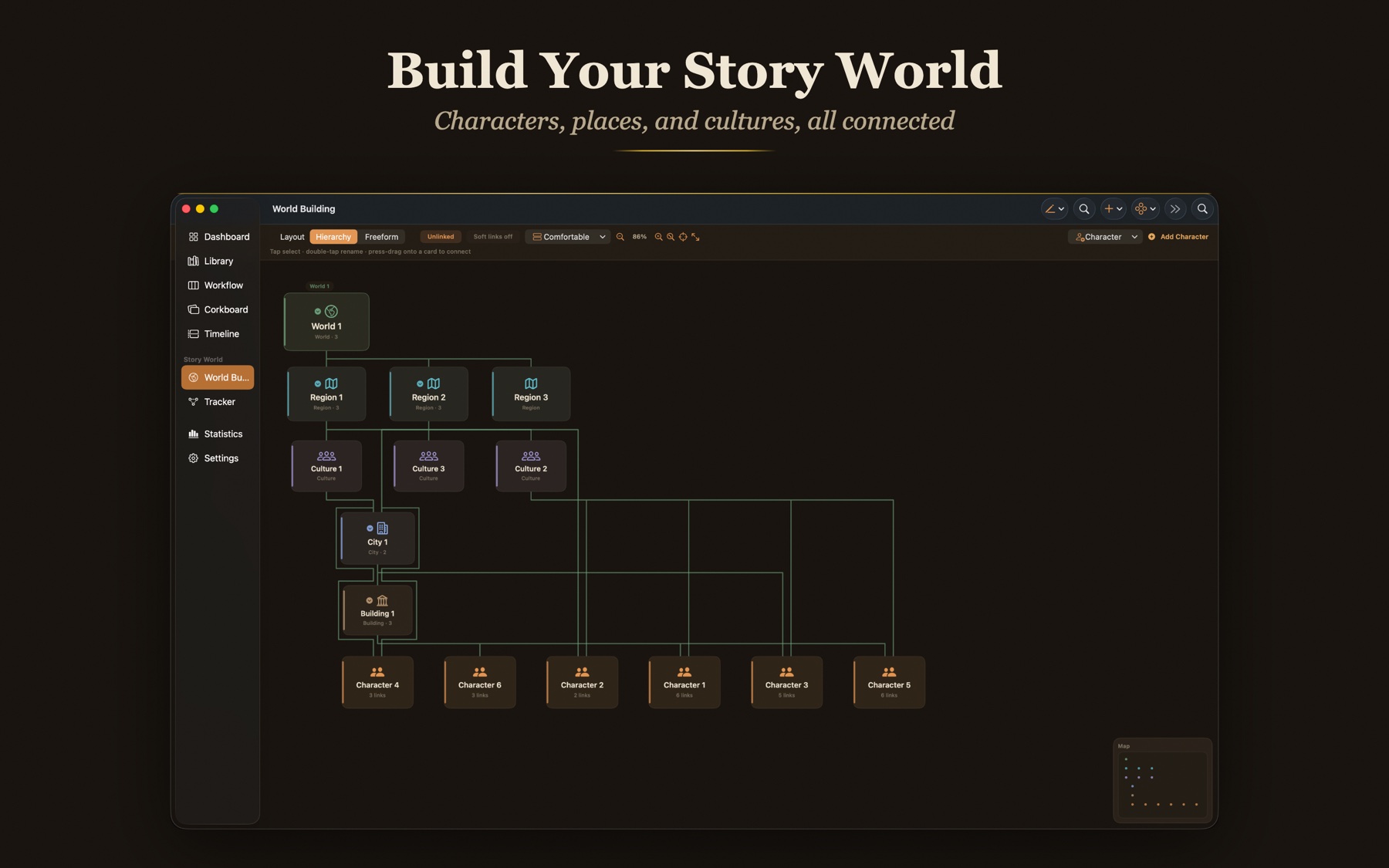
Worlds, regions, cities, buildings, cultures, groups, and items.
The World Web
Every character, place, culture, group, and item on one connected canvas, laid out as a clean spanning tree. A Focus toggle lights up everything a card connects to, and one tap moves focus to any card.
Two way relationships
Bonds run both ways. A mutual link is a real connection, not a one way arrow. Character cards and world cards share one unified list of connections.
Per-book roles for everything
Every character, place, culture, and item carries a role per book: Central, Featured, Background, or Mentioned. Characters also carry story roles, from Protagonist to Antagonist.
Quick-add everywhere
Inline fields across the app autocomplete to existing entities or create new ones in place. Type a name, press Return, keep writing.
Entity highlighting in prose
Tap a name in your draft to open its card.
Create-from-selection
Select words in your draft and mint a character or place on the spot.
Mentions panel
Who appears in this chapter, derived from the words themselves.
Echoes
Surfaces words you repeat too often.
Rename Everywhere
Change a name once; every mention follows.
Web, list, gallery, and board
Four ways to browse the codex, including a wall of portrait cards and the new World Building web.
Built for more than one book
Series with story arcs
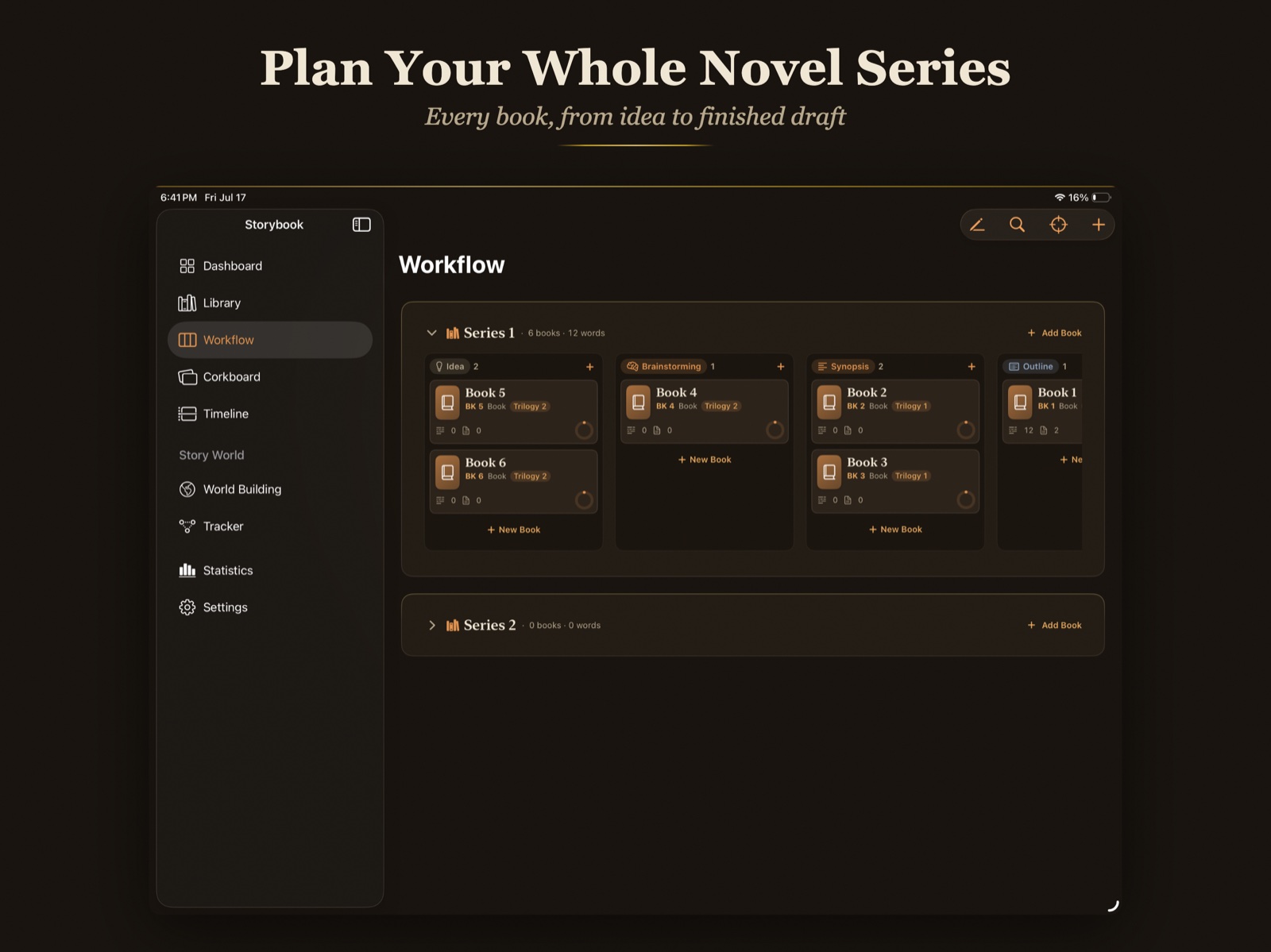
Group your books and the arcs that thread through them.
Honest book numbering
Numbering that stays consistent as your series grows.
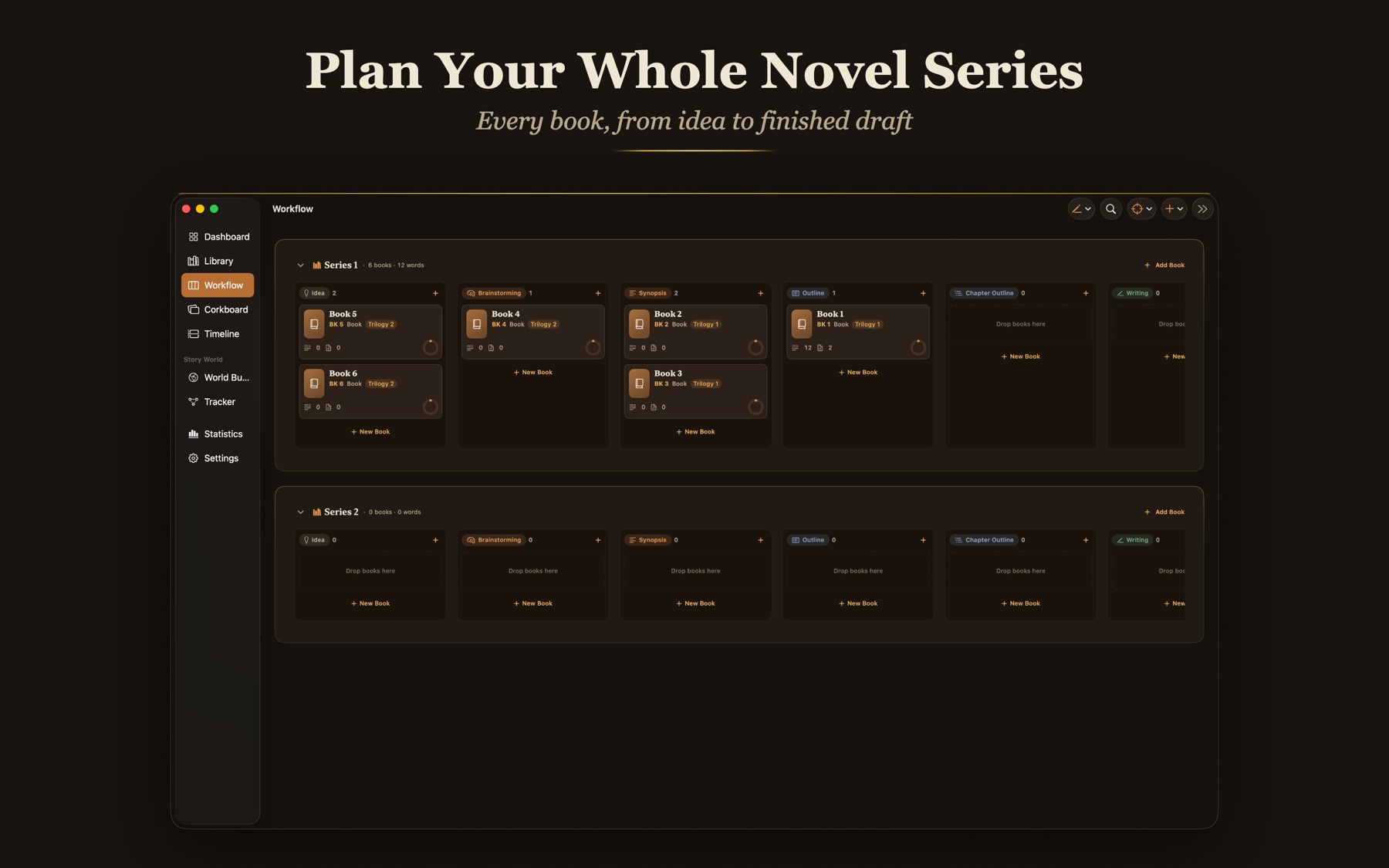
Kanban workflow board
Move work across eight clear statuses.
Corkboard
Index cards with pushpins for shuffling scenes and beats.
In-world timeline
Draggable books, pinch zoom, and era bands (First Age, Second Age).
The Tracker
Choose a character, place, or thing and see every book it appears in, with its role in each, on one screen. Continuity you can check at a glance.
Eight saga colors
Color-code sagas and books with eight antique tints, from Amber to Iris. The accent follows them through the library, the boards, and the timeline.
Continue Writing
One press drops you back at your last sentence. Press and hold for your three most recent writing spots. On Mac it lives on Command J.
Your whole shelf, pinned to the wall
A global planning wall
Every saga and book pinned as an index card you edit in place: title, logline, status, book number.
Drag to reorder the shelf
Move a card and the books renumber themselves; drag a book from one saga to another, or out to standalone.
Number by the timeline
Each saga can number its books by the in-world timeline. Place a book on the timeline and the shelf renumbers to story chronology.
Custom spine labels
'Book 2.5', 'Novella', 'Prequel', your own labels always ride along, whatever the order.
Nine story structures, one writing quest
A template for every book
Each book chooses its own: Three-Act (the Writing Quest classic, 16 beats), Save the Cat (15 beats), The Hero's Journey (12 stages), The Story Circle (8 steps), Seven-Point, Freytag's Pyramid, Kishōtenketsu (4 movements), a fully Custom sheet with your own named beats, or No Structure at all.
Switch without losing a word
Every template keeps its own notes, so you can try Save the Cat and come back to Three-Act with everything intact.
Beats thread through the book
The beat sheet lives on the book page, and structure tags ride on every chapter.
6-beat chapter outlines
Set Up · Tension · Crossroads · Decision · Outcome · New Question.
Status pipeline
From Idea to Done, at whatever pace you keep.
An antique almanac of your writing life
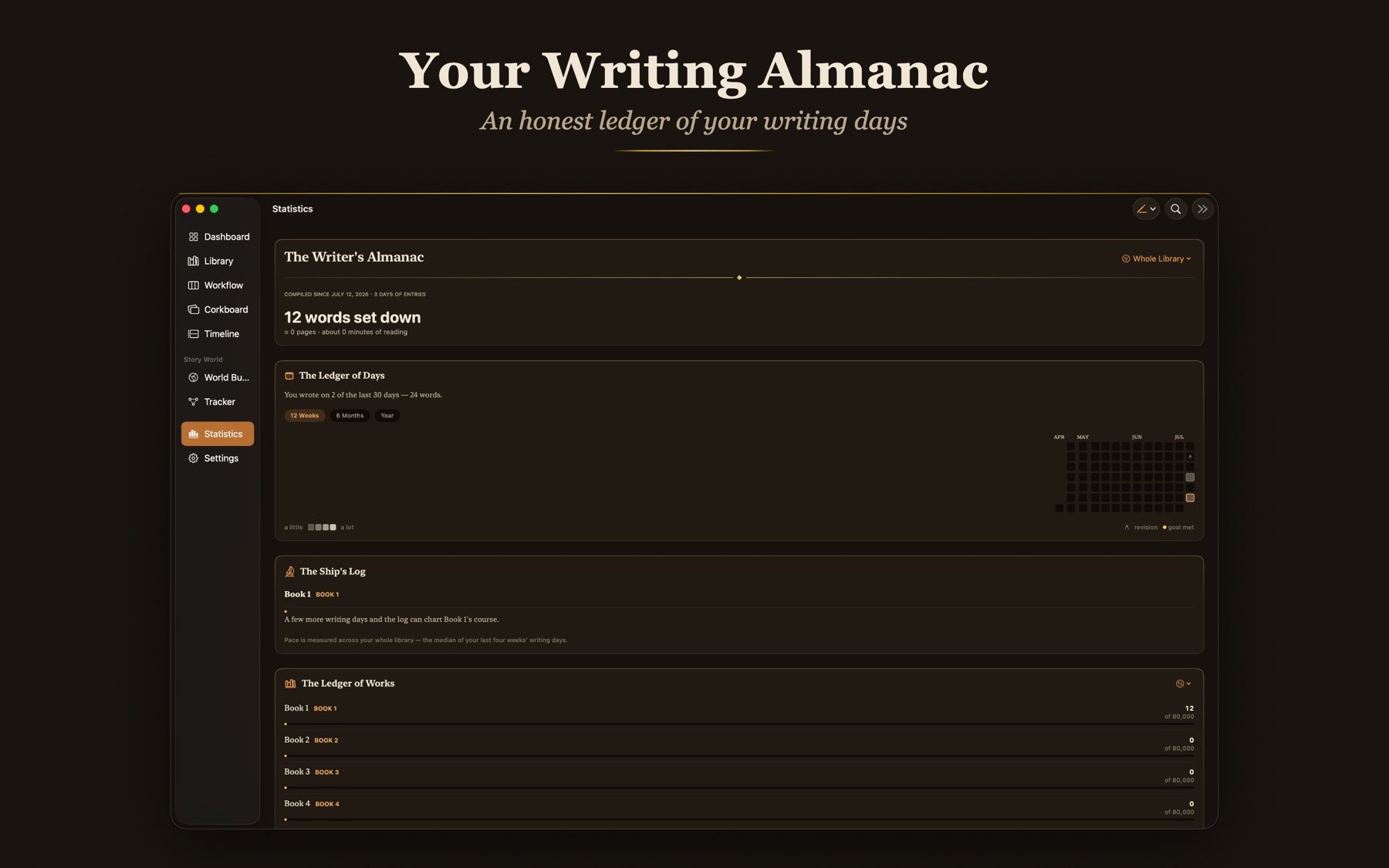
Ledger of Days
A year-deep writing calendar inked in your own quartiles. Revision days honored, goal days gilded.
The Ship's Log
Charts each book's course: 'Chart 512 words a day and The Hollow Crown makes port by 1 March.'
Ledger of Works
Every book's word count and progress, gathered in one ledger.
Who Owns the Page
Which POV character owns what share of your words, and where the story lives.
State of the Library
Your whole pipeline at a glance, from idea to done.
Records & Curiosities
Best day, longest streak, days at the desk, kept honestly and gently. The almanac never shames a quiet week.
At home before Chapter 1
A guided welcome
A seven-page tour greets your first open: the library, the writing room, the world, the timeline, and the boards, each in one plain sentence.
Explore the sample story
One tap loads Emberfall, a small sample saga you can wander: chapters, characters, places, and a timeline already connected. It never counts toward your words.
Guided empty states
Every empty screen carries its own create action. There is always one obvious next step.
Never lose a word
Automatic snapshots
Chapters keep versions you can return to, saved on their own before risky moves.
Rotating durable backups
Fresh backups roll in on their own and the older ones step aside.
Full fidelity archive
Export the whole library as one file, and re import with Replace or Restore.
Blocking recovery screen
If a library will not open, the app says so plainly instead of hiding the state.
Live iCloud sync status
See what's syncing and what's already safe, at a glance.
Reversible Delete All
The strongest button in the app is undoable, on purpose.
Open a manuscript from somewhere else
Open With and drag and drop
Hand a file to Storybook the way you'd hand it to any Apple app.
RTF and Word imports keep formatting
Bold, italics, headings, and paragraph styles come across intact.
Plain text in any common encoding
.txt and .md open cleanly, whatever the encoding on disk.
Your words stay yours
No account
Nothing to sign up for. Storybook opens and works.
No servers watching
Your manuscript lives on your devices and syncs only through your own private iCloud.
Data Not Collected
The App Privacy label reads Data Not Collected, and it means it.
No AI, ever
Nothing generates, autocompletes, or trains on your prose. The writing is entirely yours.
News from the writing room.
Occasional notes on new features, craft essays, and things worth your desk. No spam, unsubscribe any time.